Axis question

Hey Dave (Or anyone to that matter), can you help explain something for me which has me a little confused. In C4d the "Z" axis seems to be pointing in a different direction when compared to the "Z" axis direction in Blender. In Blender the Z axis goes straight up and down in the World space where as in C4D the z plane seems to go "back and forth" (Sorry, I couldn't think of another way to explain it). As you can see in the two images below they are in different positions/point in different directions. Am I over thinking this? Have I missed something obvious? Which one is correct? I come from the world of video where X has always been left and right, Y is always up and down and we never really had a Z plane to speak of. I'm curious to hear your thoughts on this?
Graham.
Gallery
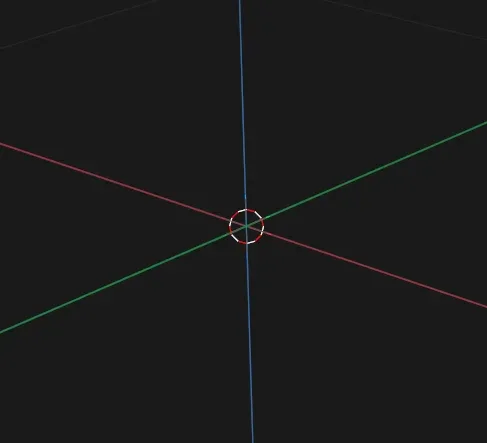
346 views
Log in to join the conversation.

Hey Graham,
Great question — and no, you’re not overthinking it 😄
I’ve actually never used Blender, but what you’re noticing is just a different world axis convention, not something being “wrong.”
In Cinema 4D, the default world orientation is:
X= left/rightY= up/downZ= forward/backSo in C4D,
Yis up andZis depth.From what you’re describing, Blender uses
Zas the up axis, andYbecomes depth instead. So effectively:C4D →
Y-upBlender →
Z-upNeither one is “correct” — they’re just different conventions.
In video/motion graphics, you’re used to:
X= horizontalY= verticalZ= depth (camera space)C4D actually aligns pretty closely with that thinking (
Y= vertical), which is why it feels natural coming from a video background.Blender just chose a different axis system historically, and once a 3D package commits to that, it sticks with it forever for compatibility reasons.
So nothing’s broken — just different coordinate systems. Once you know which axis is “up,” everything makes sense again.
Hope that clears it up 👍